
User Management gives organization admins full control over who can access BerryDesk and what they can do. Available under Settings → Users, this page lets you easily add new users, update roles and permissions, or remove access entirely—ensuring the right people have the right level of control across your ChainBerry tools at all times.
Here you will find
How to invite a user?
- Press Invite User
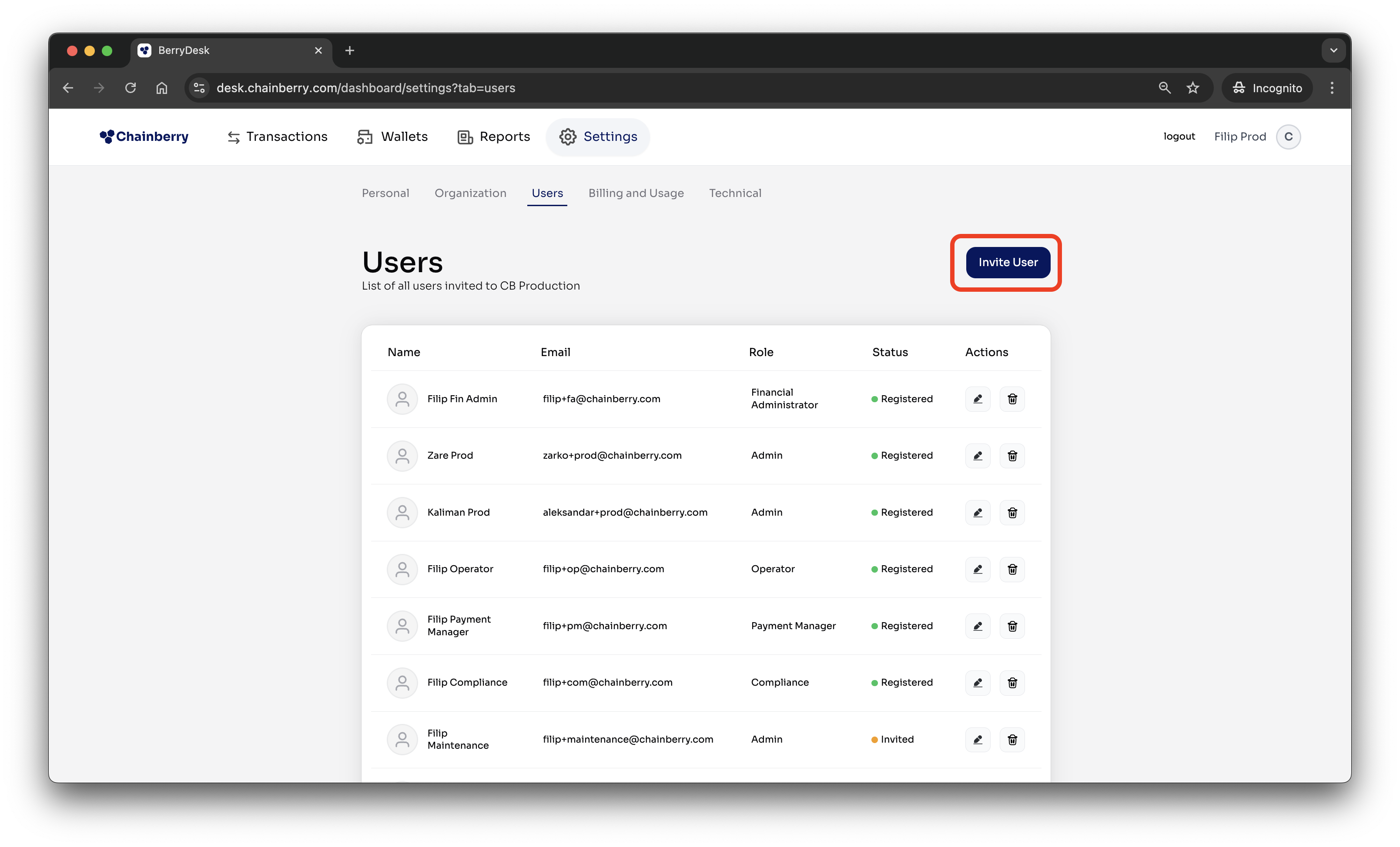
- Add all relevant details
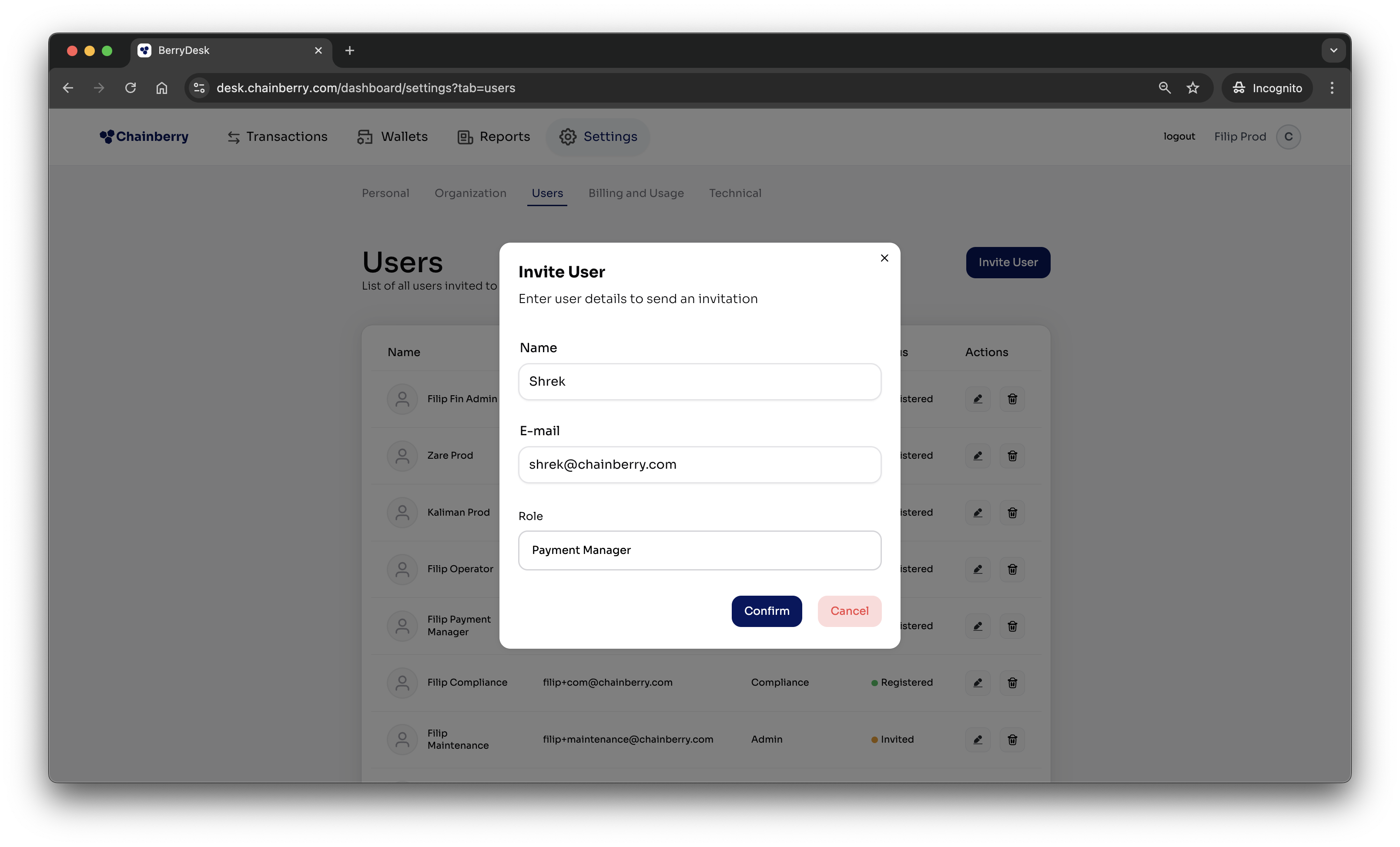
- Press Confirm
- The ChainBerry invitation email is sent to the user
How to edit a user?
- Press the Edit icon
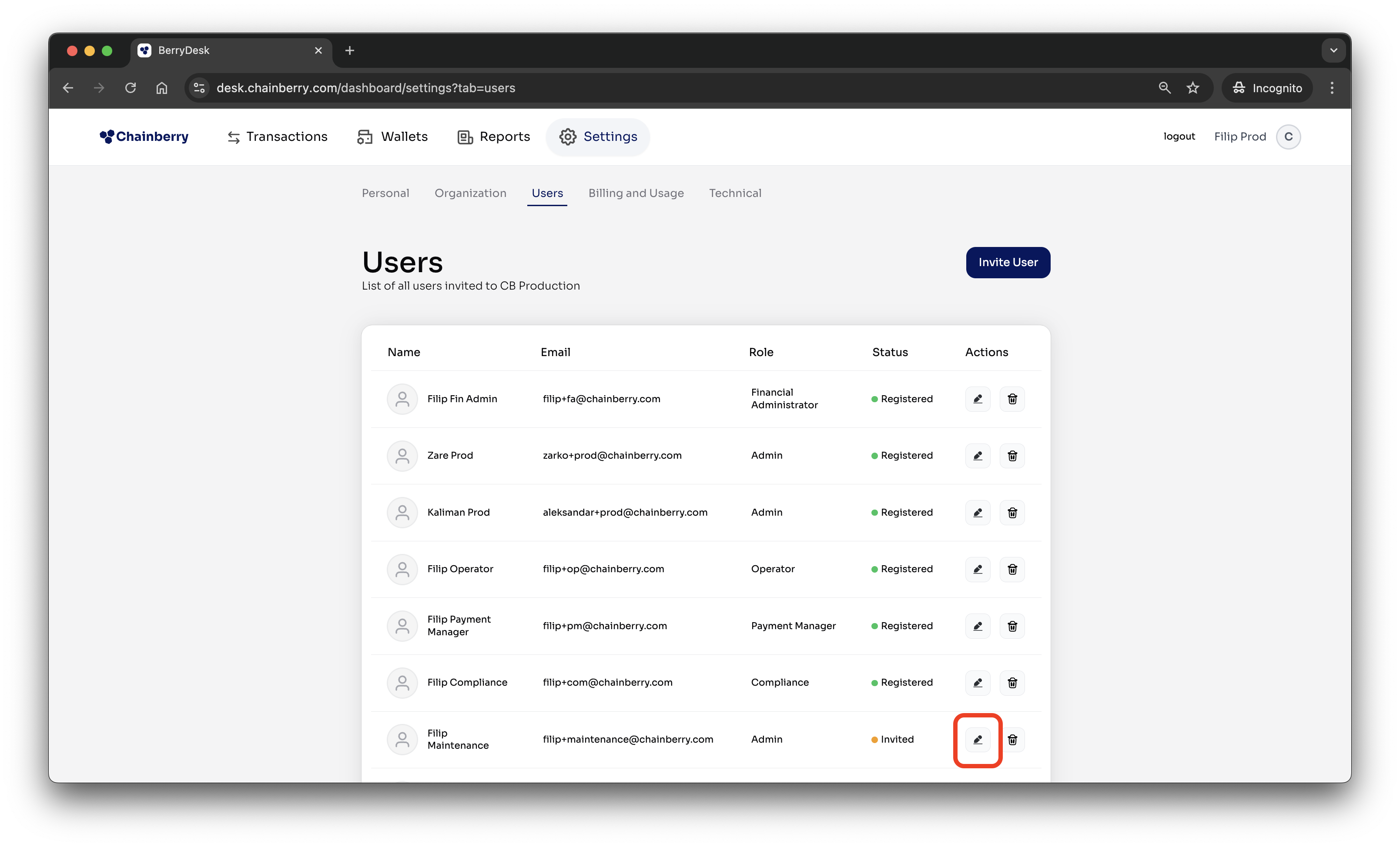
- Change name or role
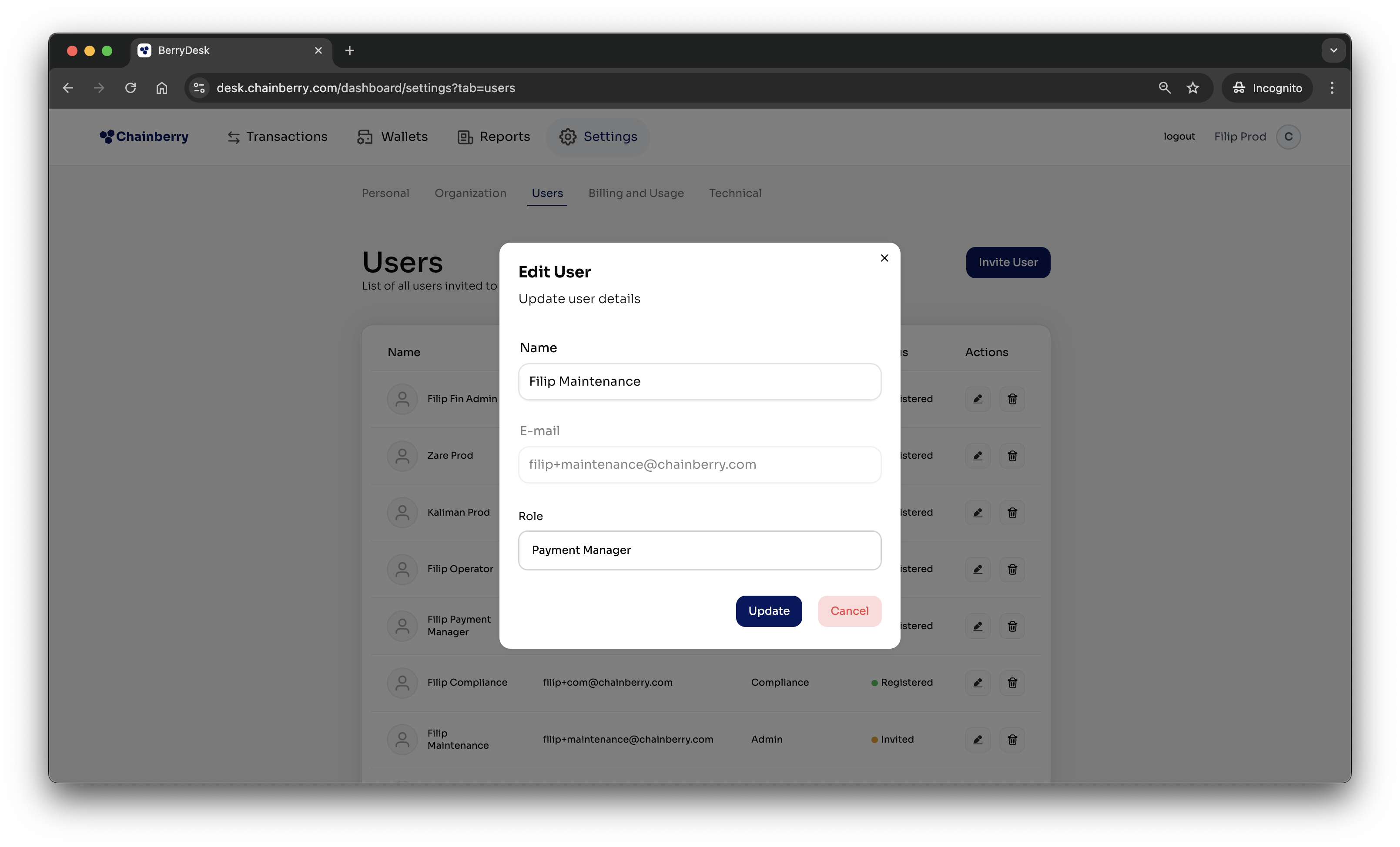
- Press Confirm
How to delete a user?
- Press the Delete icon
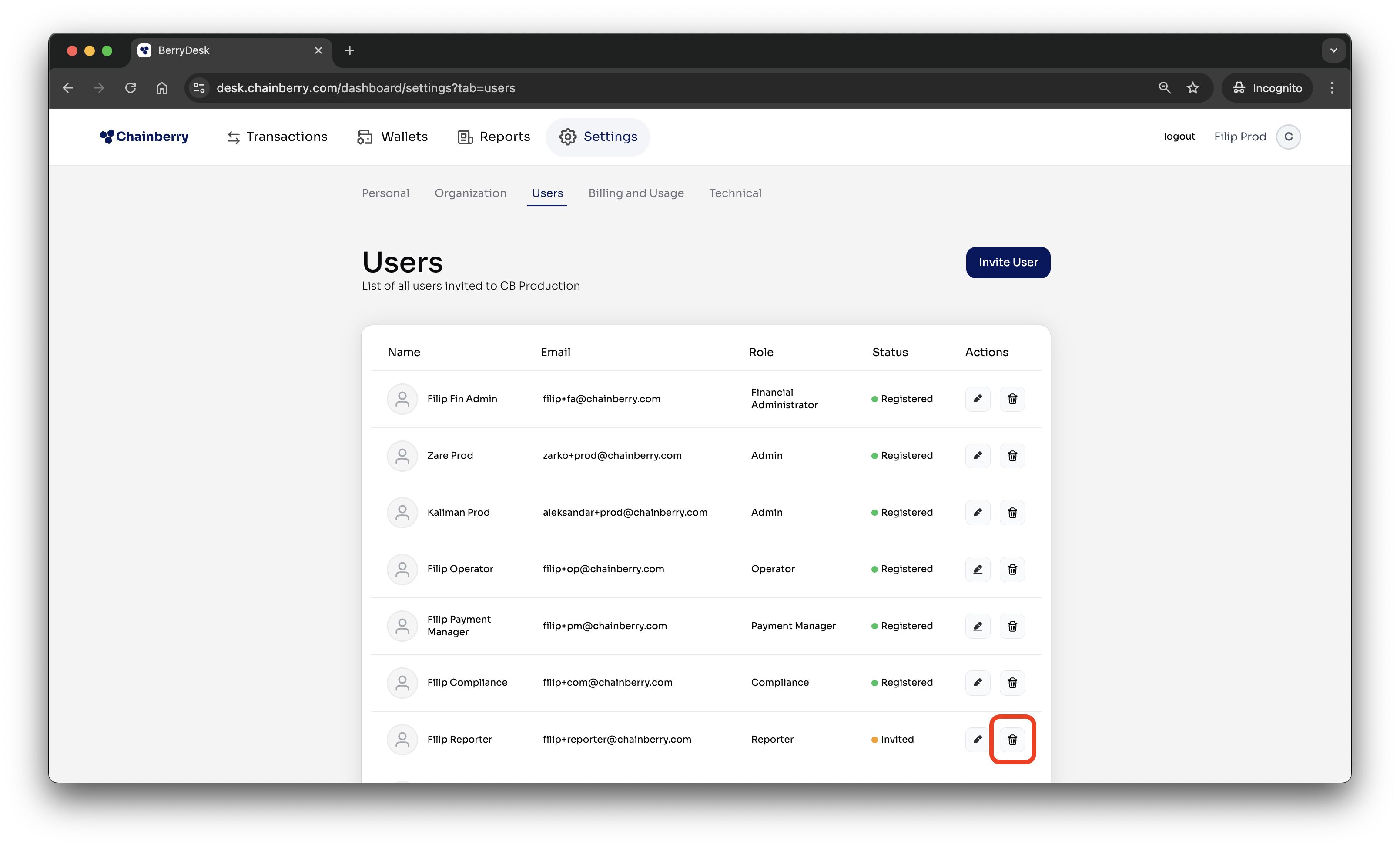
- Enter your 2FA code
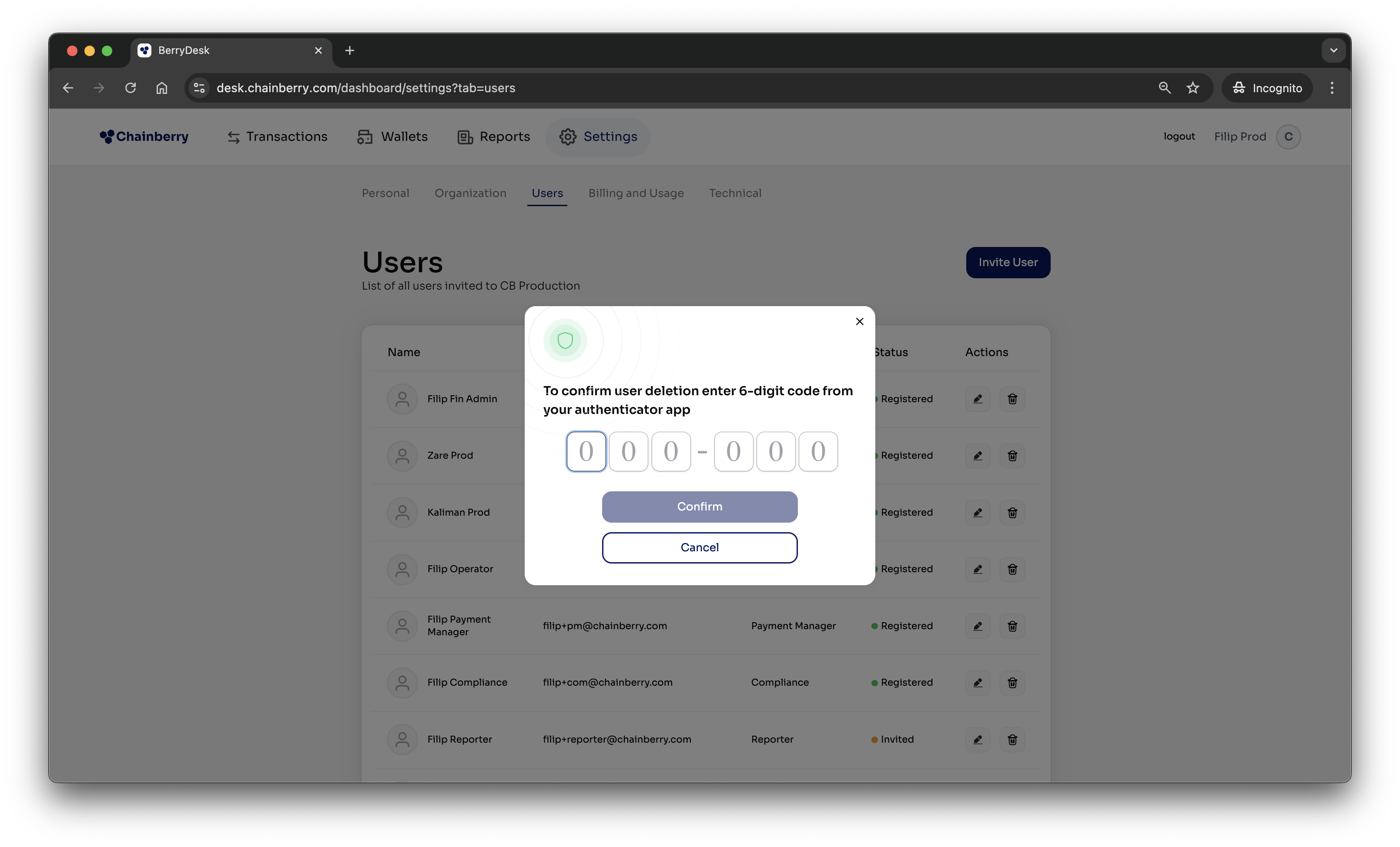
- The User is removed, but all their relevant data stays in the system
Roles & Permissions
This table defines each available role and the permissions it grants, helping you clearly understand and manage user access across BerryDesk.
Permission \ Role | Operator | Compliance | Payment Manager | Financial Operator | Reporter | Tech Support | Financial Admin |
Can see all transactions | ✅ | ✅ | ✅ | ❌ | ✅ | ❌ | ✅ |
Can approve/reject risky transactions | ❌ | ✅ | ❌ | ❌ | ❌ | ❌ | ✅ |
Can see all wallet balances | ✅ | ❌ | ❌ | ✅ | ✅ | ❌ | ✅ |
Can manually withdraw funds | ❌ | ❌ | ❌ | ✅ | ❌ | ❌ | ✅ |
Can see Reports page | ❌ | ❌ | ❌ | ❌ | ✅ | ❌ | ✅ |
Can download reports | ❌ | ❌ | ❌ | ❌ | ✅ | ❌ | ✅ |
Can see Personal Settings | ✅ | ✅ | ✅ | ✅ | ✅ | ✅ | ✅ |
Can see Organization Settings | ✅ | ✅ | ✅ | ✅ | ✅ | ✅ | ✅ |
Can manage Users | ❌ | ❌ | ❌ | ❌ | ❌ | ✅ | ✅ |
Can see Billing & Usage | ❌ | ❌ | ❌ | ❌ | ✅ | ❌ | ✅ |
Can see Technical Settings | ❌ | ❌ | ❌ | ❌ | ❌ | ✅ | ✅ |