KYT Review explains how to monitor and manage transactions flagged as potentially risky. All incoming and outgoing payments automatically undergo a KYT (Know Your Transaction) check. If a transaction’s risk score exceeds the agreed threshold, it is paused and flagged for manual review by an operator.
This section covers where to check the risk score threshold, how to approve or reject flagged transactions, what happens after each action, and how to filter the interface to focus only on transactions requiring review.
What can you find here:
Where can the risk score threshold be found?How to check the payment Risk Score?How to approve a Risky Transaction?How to reject a Risky Transaction?What happens after a transaction is approved or rejected?DepositsWithdrawalsConversionsHow can only risky transactions be filtered and viewed?
Where can the risk score threshold be found?
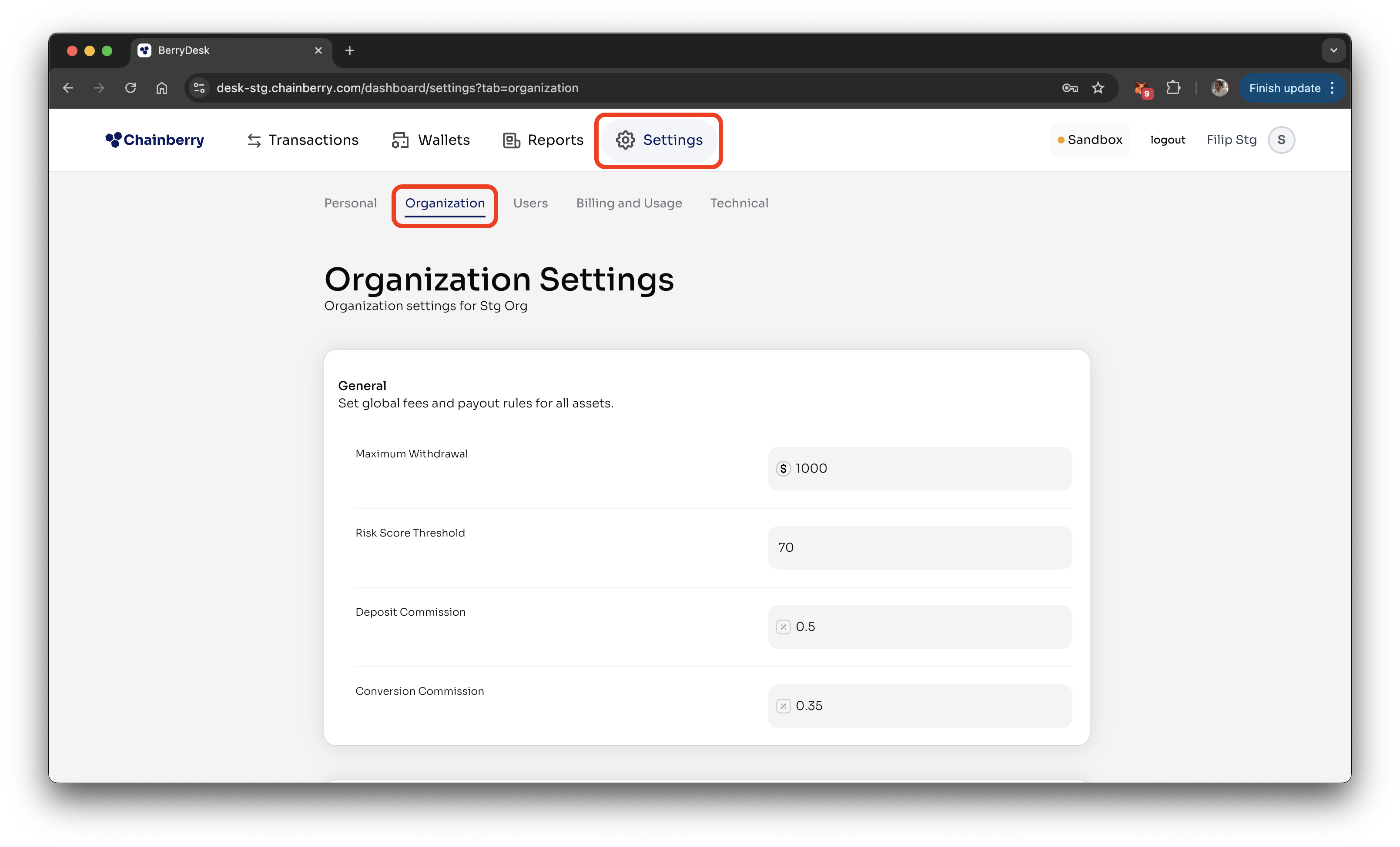
- Go to Settings → Organization
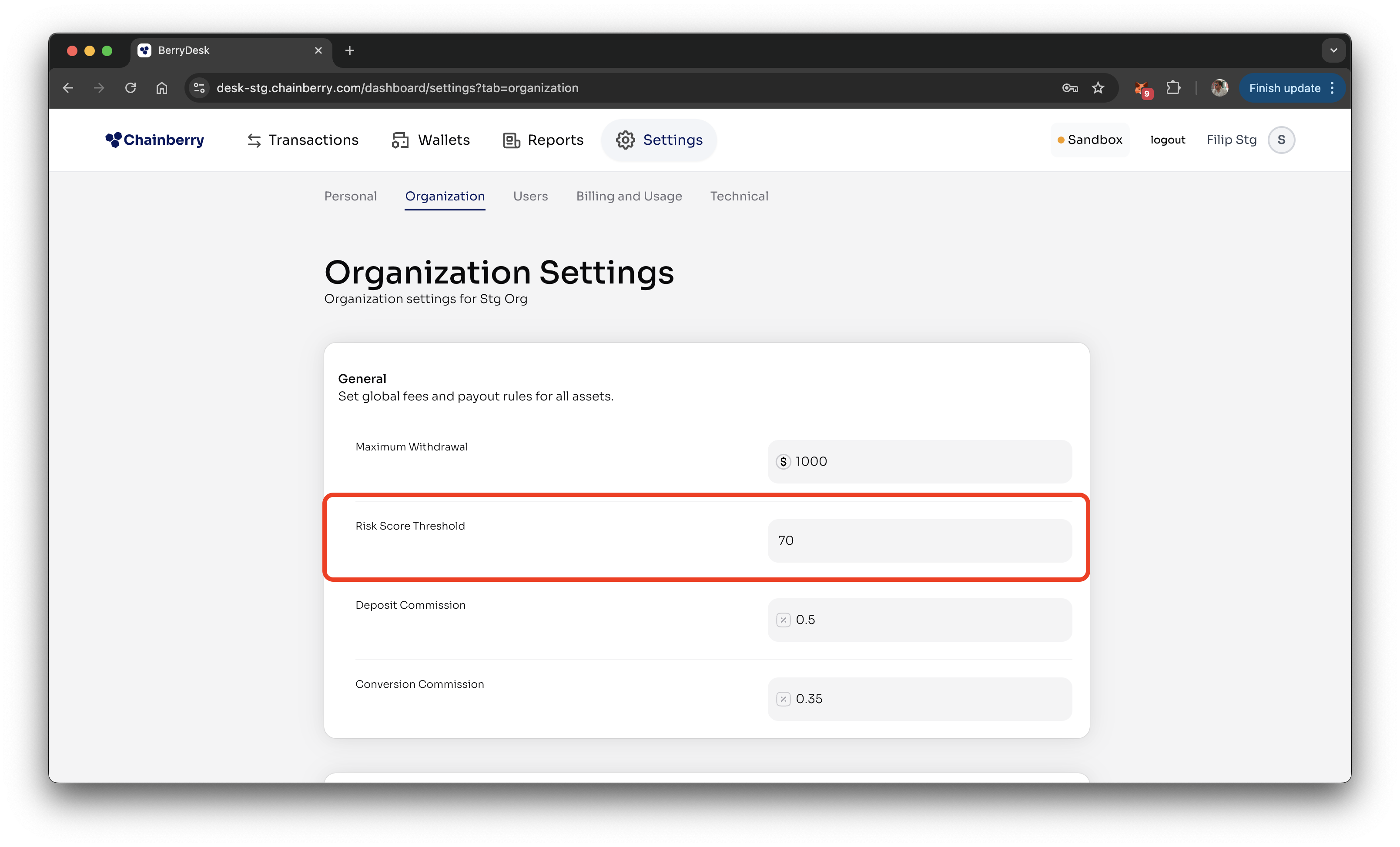
- Scroll to and check the Risk Score Threshold
How to check the payment Risk Score?
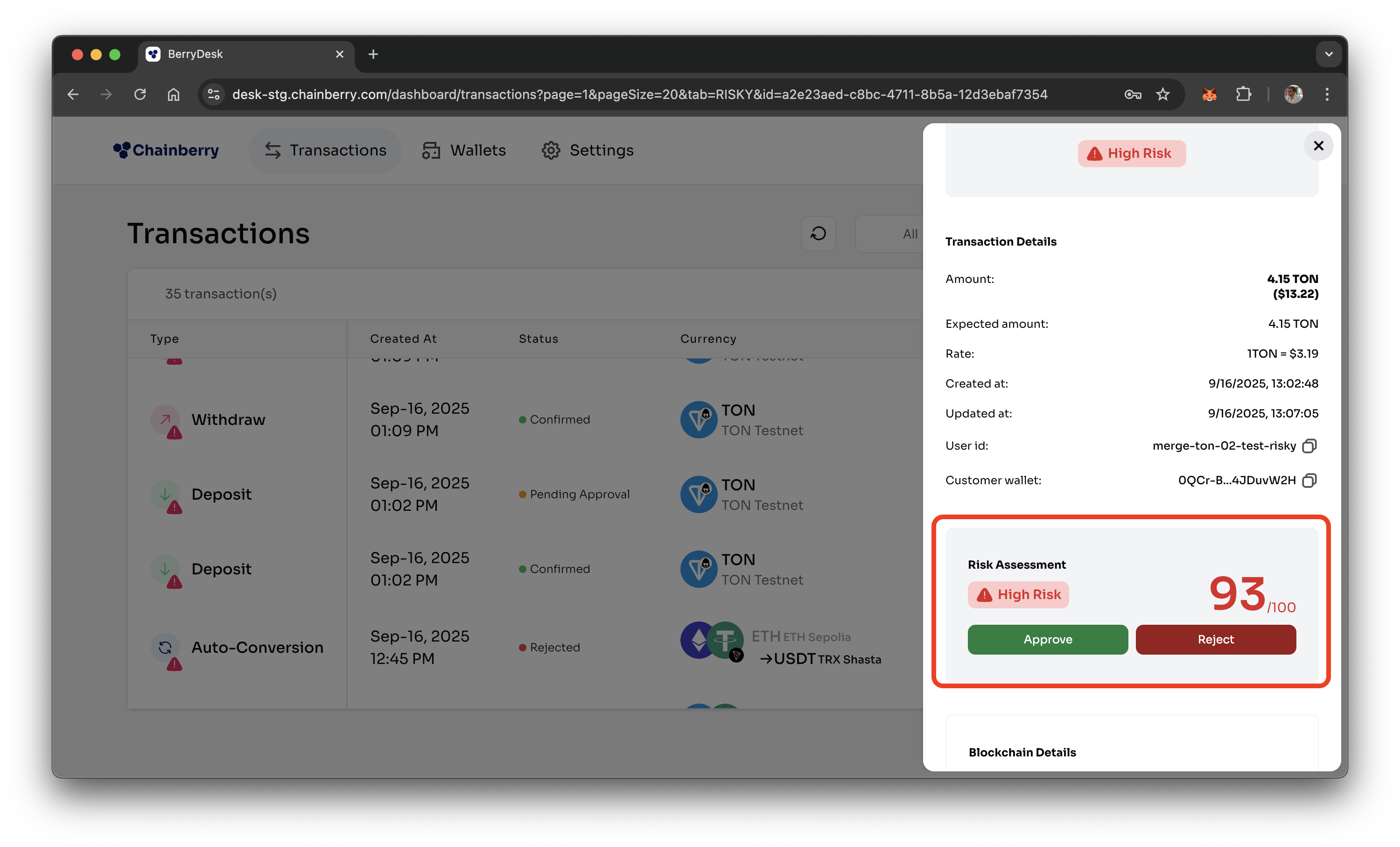
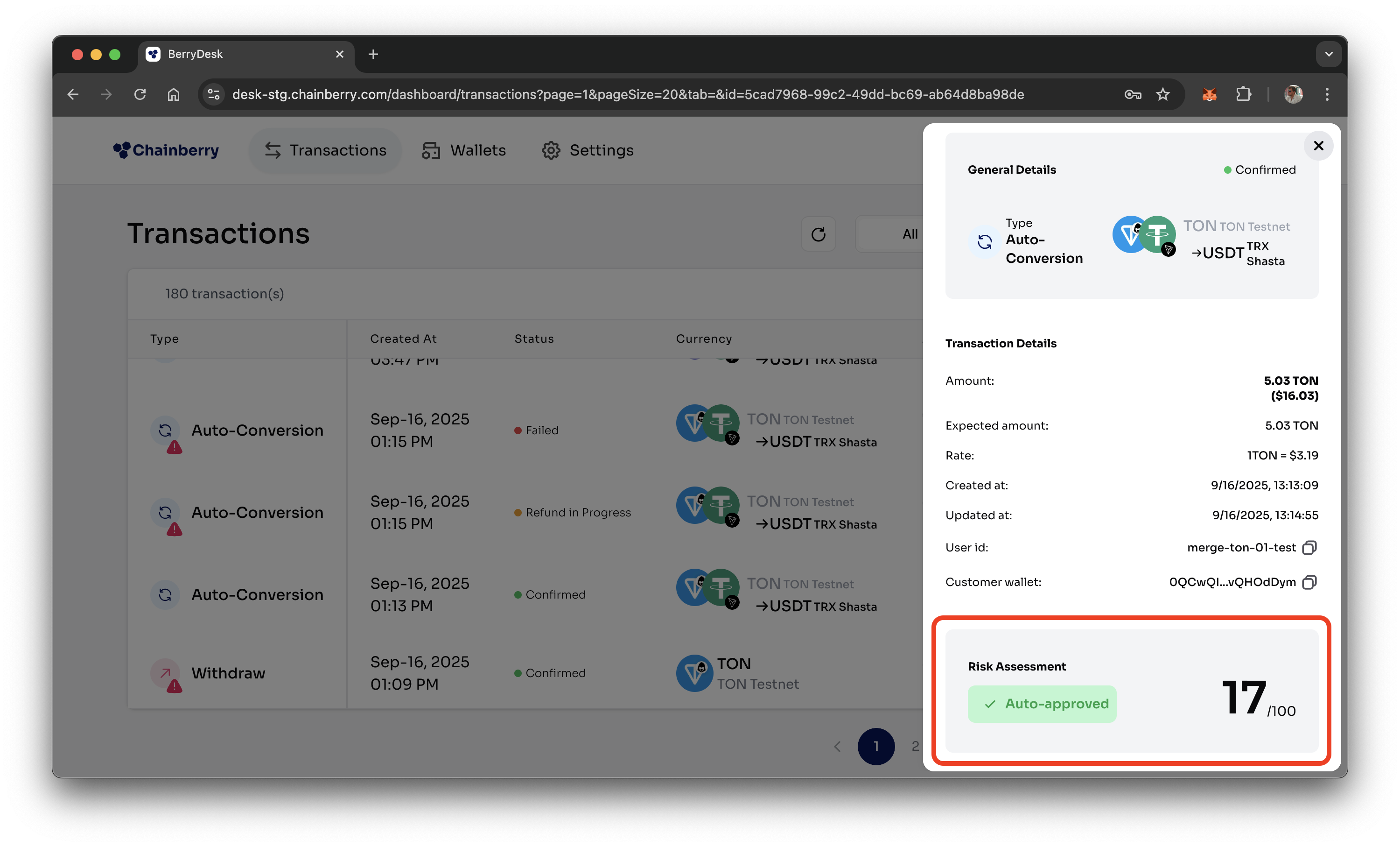
- Open any transaction from the table
- You can find the Risk Score in the Risk Assessment section
How to approve a Risky Transaction?
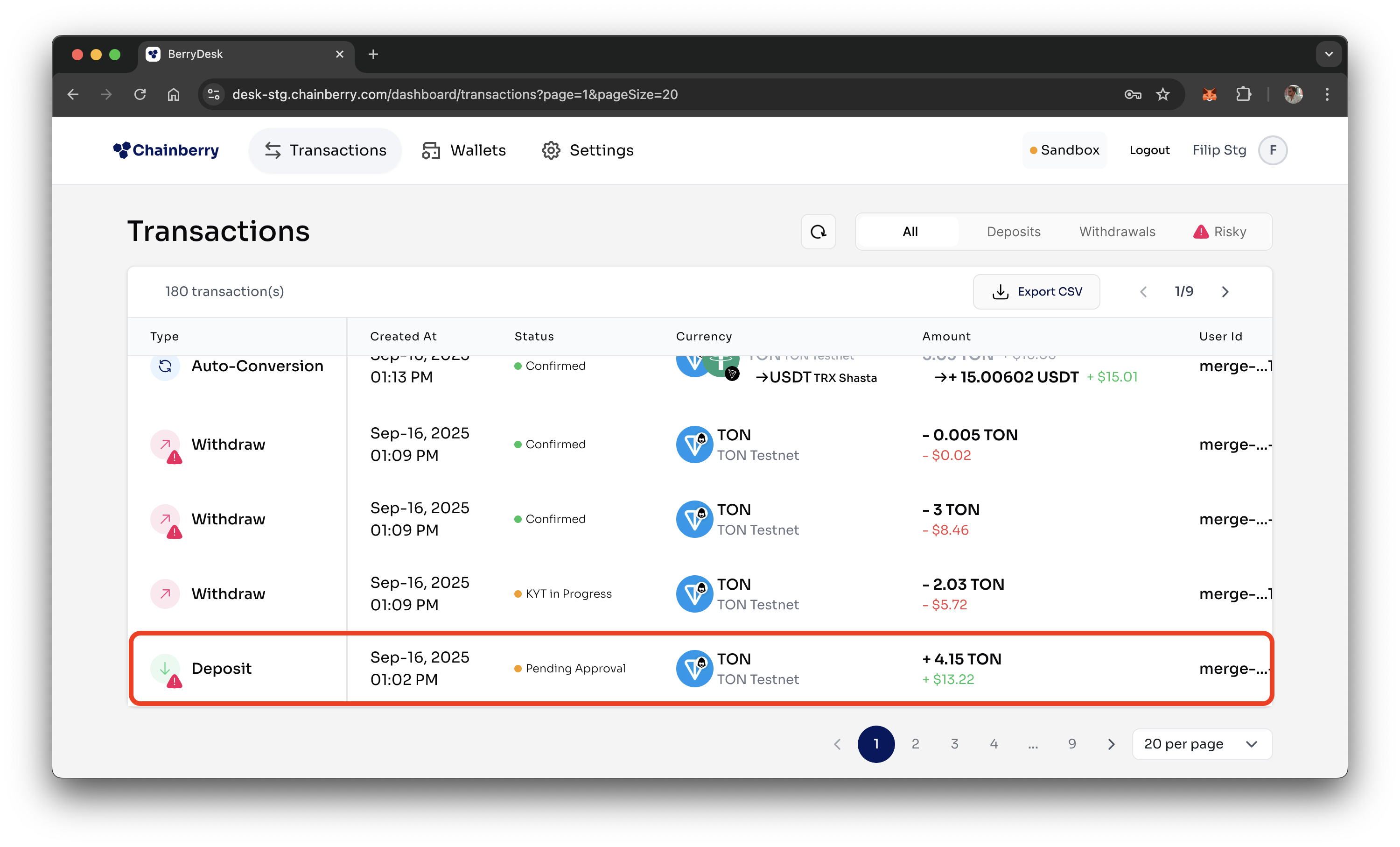
- Open a Risky Transaction
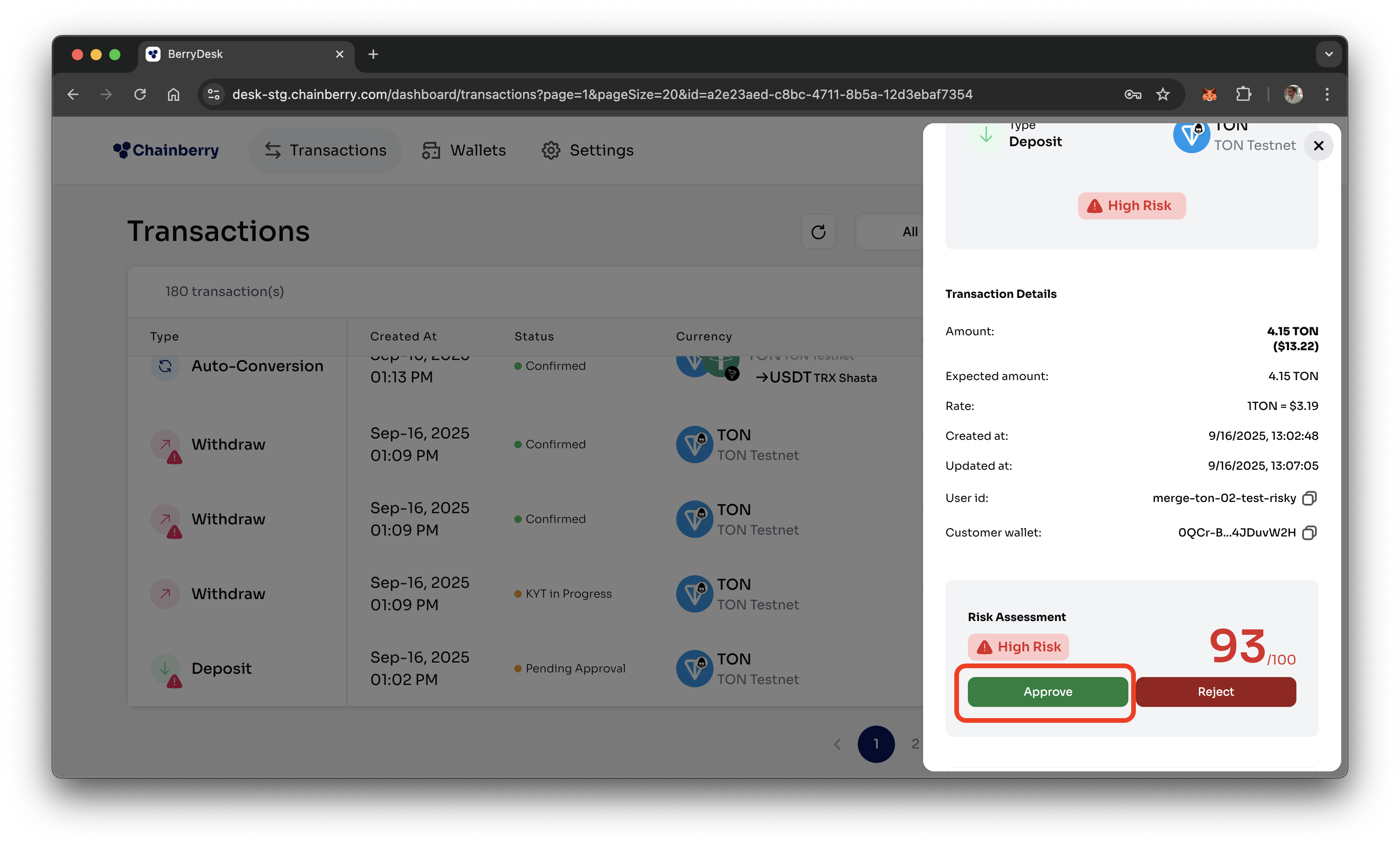
- Click Approve
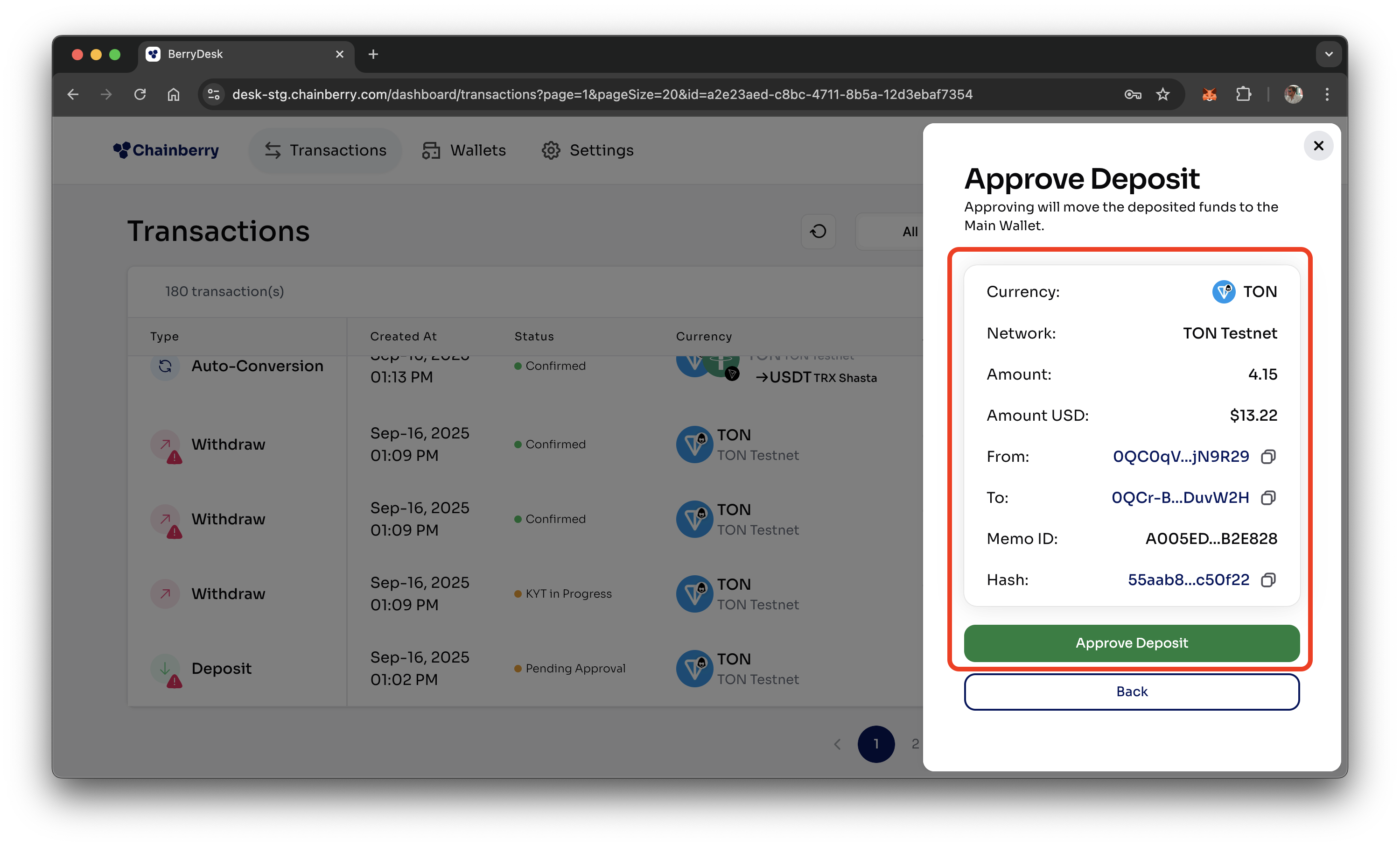
- Double-check the details and press Approve
- Enter the 2FA code
- The transaction will go through after approval
❓ What Happens When a Transaction is Approved?
- Deposit – Funds are unfrozen on the Customer Wallet and can be transferred to the Main Wallet.
- Withdrawal – Funds are sent to the blockchain and delivered to the customer's external wallet.
- Auto-Conversion – Funds are unfrozen on the Customer Wallet and proceed to the conversion flow.
How to reject a Risky Transaction?
- Open a Risky Transaction that is Pending Approval
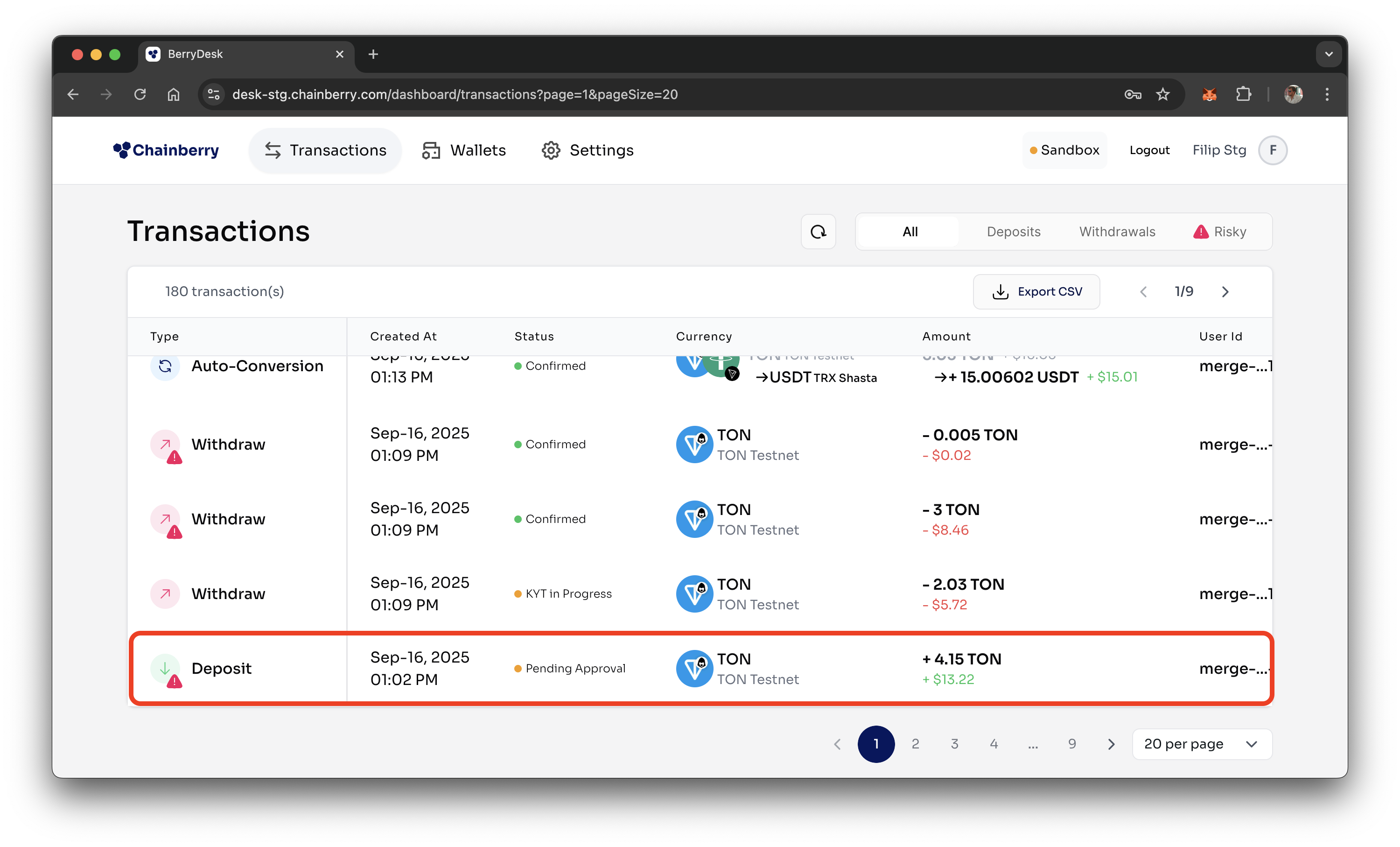
- Click Reject
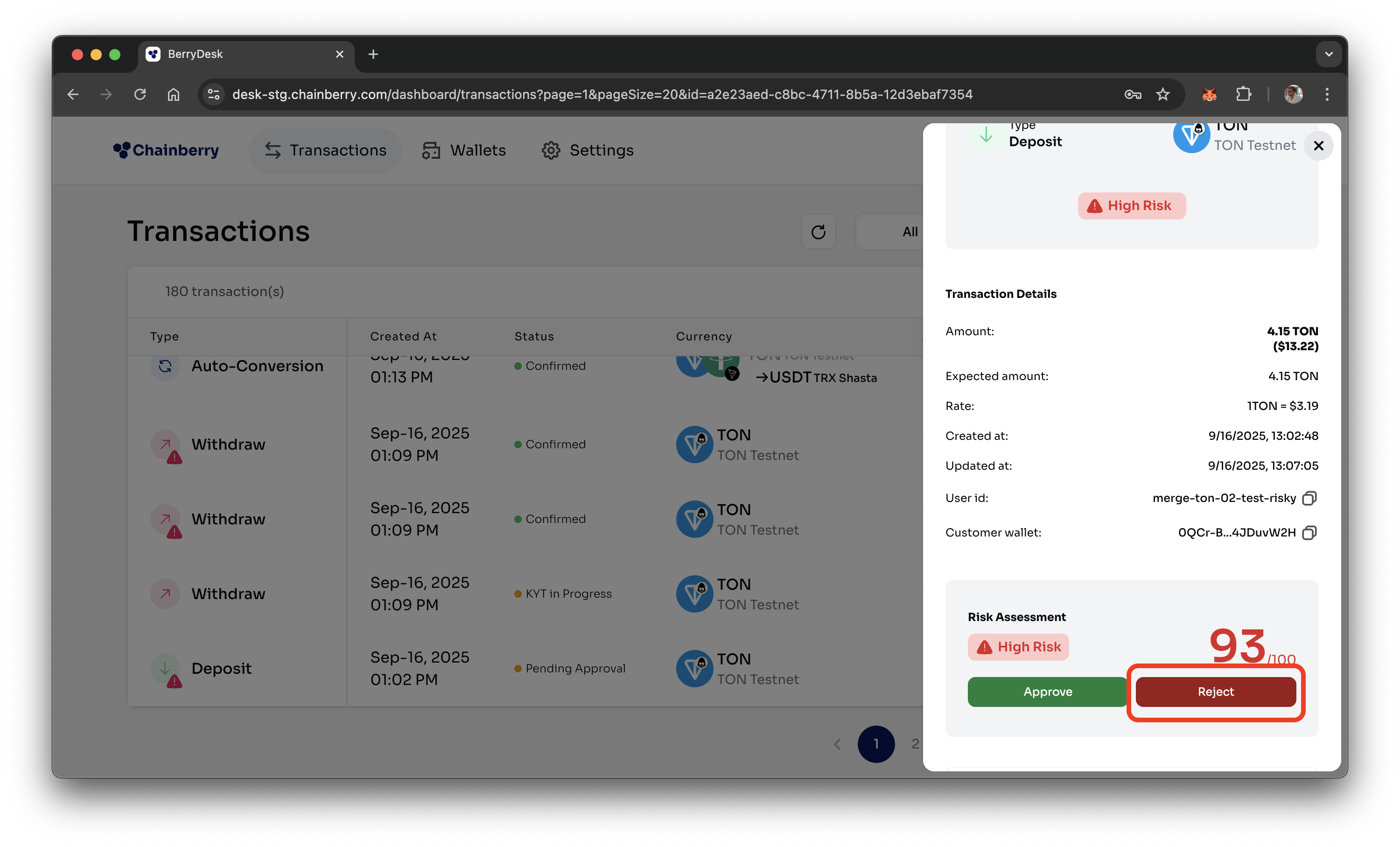
- Enter Refund details [Deposits & Auto-Conversions]
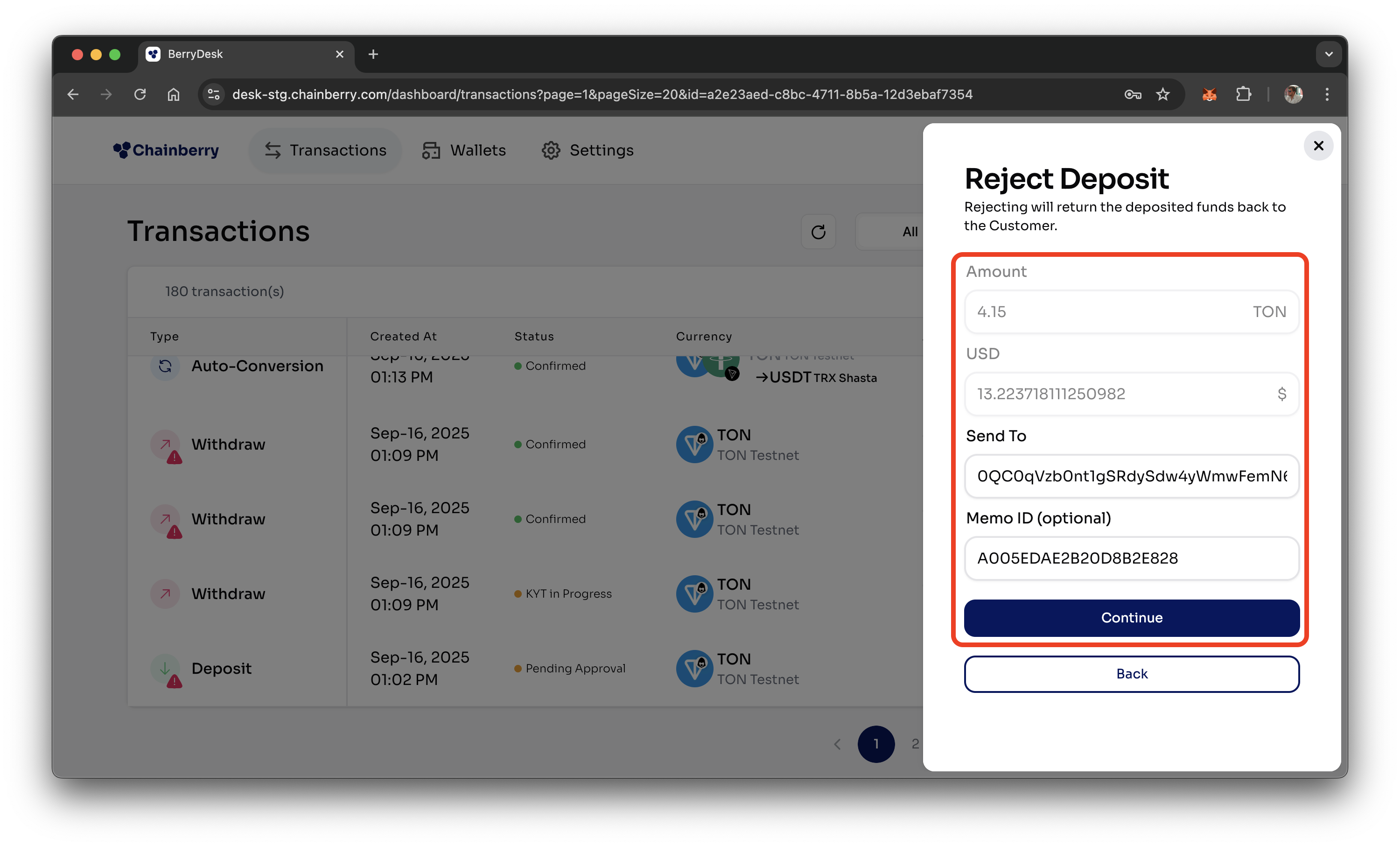
- Double-check the details and press Reject
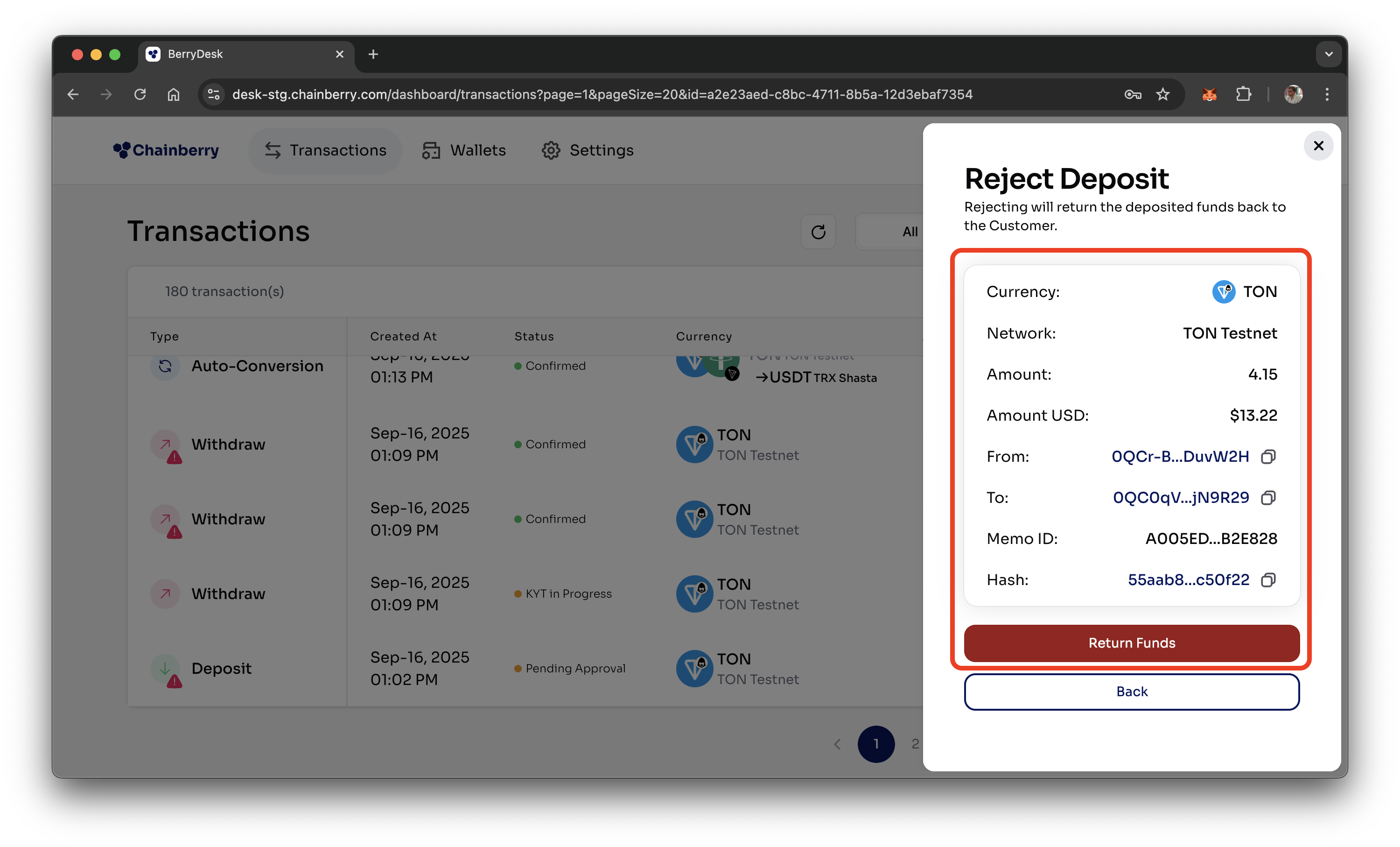
- Enter the 2FA code
- Transaction is rejected
What happens after a transaction is approved or rejected?
Deposits
When a deposit is approved - Funds are unfrozen on the Customer Wallet and can be transferred to the Main Wallet.
When a deposit is rejected - Funds are returned to the customer’s wallet specified in step 3.
Withdrawals
When a withdrawal is approved - Funds are sent to the blockchain and delivered to the customer’s external wallet.
When a withdrawal is rejected - Funds remain in the Payout Wallet and are not sent to the blockchain.
Conversions
When a conversion is approved - Funds are unfrozen on the Customer Wallet and proceed to the conversion flow.
When a conversion is rejected - Funds are returned to the customer’s wallet specified in step 3.
How can only risky transactions be filtered and viewed?
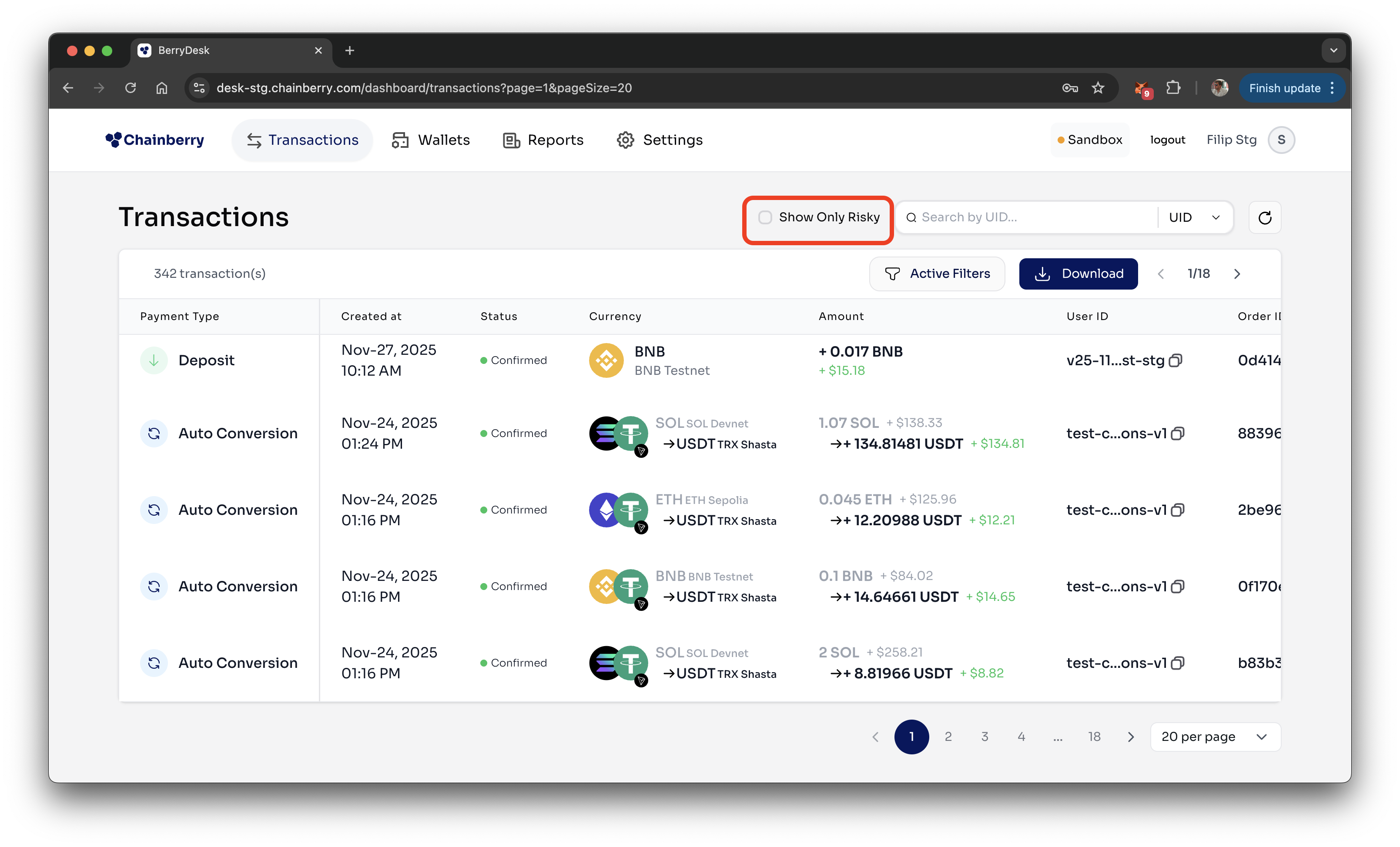
- Go to Transaction page
- Check the Show Only Risky checkbox